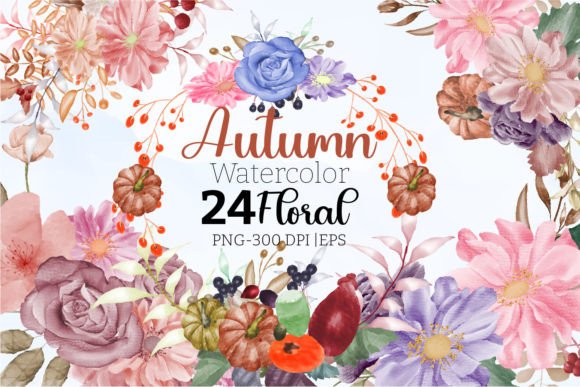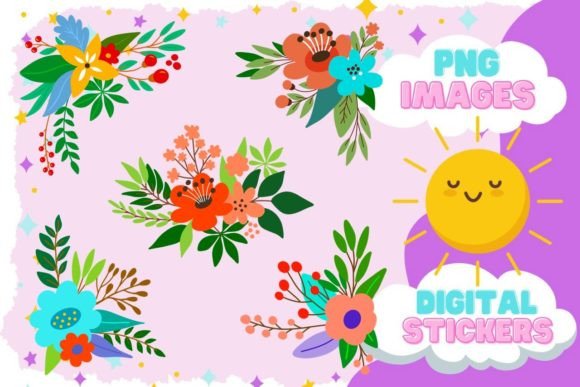
Hand Drawn Blush Blooms: A Floral Clipart Set for Creative Projects
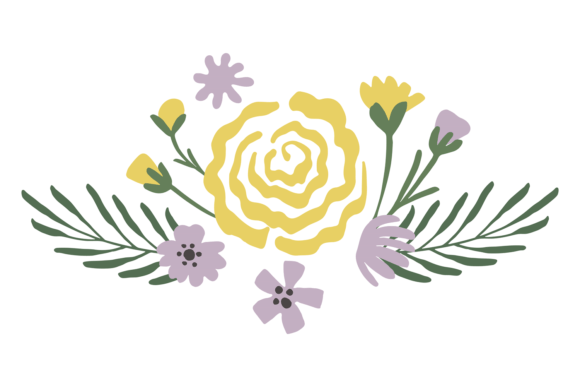
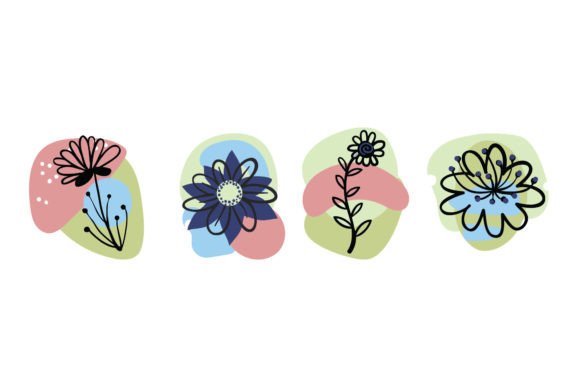
For anyone involved in visual communication—from bloggers crafting a post to entrepreneurs designing a product label—the need for quality, versatile graphic elements is a constant. Digital floral clipart, like the Blush Blooms floral set, occupies a specific and valuable niche within that creative workflow. It serves as a ready-made, high-quality asset that can be integrated directly into ongoing projects, bypassing the time and skill required for custom illustration. This isn't about acquiring a single image; it's about procuring a coherent toolkit of separate PNG files, each representing a hand-drawn floral element like a blossom, leaf, or arrangement, designed to work together seamlessly.
Strategic Integration into Creative and Professional Workflows
Where this floral clipart set fits is often at the stage of asset assembly and aesthetic refinement. Consider a marketer preparing a series of social media posts for a spring campaign. The core message and copy are drafted, the photography might be selected, but a cohesive visual theme is needed to tie everything together. Introducing the Blush Blooms clipart provides that unifying layer. The hand-drawn style offers a warm, approachable contrast to stock photography, and the transparent PNG format allows these blooms to be placed over backgrounds, photos, or text without disruptive white boxes. This integration happens after the strategic planning but before the final composition, acting as a flexible design component.
Preparation and Compatibility Considerations
Successful use begins with understanding the technical delivery. The set arrives as a digital download—a ZIP file containing individual PNG files. Each clipart element is isolated, which is a critical feature for workflow efficiency. You aren't dealing with a single layered image you must manually separate; each flower, bud, or leaf is already a distinct asset, typically around 10x10 inches at approximately 300 DPI. This resolution supports both digital use and high-quality printing if the final project goes to physical form. Before even opening your design software, a practical step is to extract the ZIP file and organize the PNGs into a dedicated folder on your system. You might group them by flower type or color palette. This simple act of file management saves considerable time later when you're searching for a specific element during a busy design session.
Practical Applications Across Roles and Projects
The utility of a floral set like Blush Blooms cuts across the diverse roles of the target audience. For an educator designing a worksheet or presentation slide, these cliparts can create visually engaging headers or decorative borders that make material more appealing without distracting from the content. A small business owner producing homemade candle labels can use the transparent PNGs to overlay floral designs directly onto their label template in a basic design program, achieving a professional look without hiring a designer. Freelancers and content creators often operate across multiple platforms; the same set of blooms can be used to create a consistent banner for a YouTube channel, thumbnail graphics for a blog, and accent images for an email newsletter, ensuring brand visual consistency.
A key workflow interaction involves other digital tools. The separate PNG files are compatible with virtually any software that accepts images: Adobe Photoshop, Illustrator, Canva, Microsoft Word, Google Slides, and even mobile apps. Their transparent backgrounds mean they can be combined with other assets effortlessly. For instance, you might place a blush-toned flower PNG over a textured background image in Canva, then add your text on top. The clipart acts as a middle layer, a building block that interacts with both background and foreground elements. This interoperability is fundamental to its value.
Ensuring Quality and Long-Term Usability
Thinking about long-term use, the quality of the source files is paramount. The 300 DPI resolution ensures that if your needs evolve from digital screens to printed brochures or merchandise, the artwork remains crisp. Storing the original ZIP file and your organized PNG folder in a secure, backed-up location—like a dedicated cloud folder for design assets—treats this clipart set as a permanent resource in your toolkit. This approach turns a one-time download into a recurring asset. For consistent outcomes, you might establish a simple personal guideline, such as using only the blush-colored elements from the set for a specific brand project, ensuring color harmony across all outputs.
Streamlining Implementation for Efficient Results
To integrate this floral set smoothly, a process-oriented mindset helps. After organization, the next step is often experimentation. Open a blank canvas in your preferred design tool and import a few different flower PNGs. Test scaling them; at high resolution, you can reduce them significantly for small icons or enlarge them slightly for focal points without loss of detail. Observe how the hand-drawn style pairs with your existing fonts and color schemes. This isn't a rushed step; it's a tactical exploration to understand the asset's behavior in your specific environment.
For recurring projects, efficiency gains come from templating. A blogger might create a standard blog post header template in their design software that already includes a placeholder for a floral clipart element from the Blush Blooms set. When drafting a new post, they simply swap in a different flower from the folder to keep the theme fresh while maintaining a familiar structure. Similarly, a social media manager could pre-make a set of base frames for Instagram posts that incorporate the floral designs, allowing for quick customization with new text or photos each week. The clipart becomes a foundational part of a repeatable system, not a one-off decorative addition.
Observations on Creative Enhancement and Constraints
A useful observation when using such sets is that they provide creative enhancement without demanding illustrative skill. They fill a gap. However, their use also involves a conscious decision about style alignment. The hand-drawn, blush-toned aesthetic of this specific set communicates softness, warmth, and a perhaps vintage or romantic feel. It would naturally fit projects with those emotional tones but might clash with a project requiring stark, modern, or bold graphics. Thus, the integration point also involves an earlier decision in the creative process: selecting visual assets that align with the project's emotional and brand goals. The set is a tool, and choosing the right tool for the job is part of the workflow.
Finally, the digital nature of the file means immediate access, but it also means you are responsible for its application. There is no physical shipment or printing service; the value is transferred entirely in the form of the digital files. Your workflow must therefore include the steps of download, verification (checking that all files are intact and readable), organization, and integration into your own design processes. This self-directed path is standard for digital creative assets and underscores the need for a methodical approach to digital resource management. By treating the Blush Blooms floral clipart set as a serious component of your asset library—organizing it, understanding its specifications, and planning its use within templates—you transform a collection of pretty flowers into a practical tool for consistent, efficient, and quality visual creation.